Making Slides with Quarto

Data Lab

Bahman Rostami-Tabar, Lead supervisor

Data Lab for Social Good, Cardiff Business School, Cardiff University

Create sldies

Create slides using ##

create a slide using ## for slide title

Section or special slide

Live Demo

Data visualisation best practices

Data visualisation best practices

Detailed, accurate, numbers?

Or the big, picture message?

Craete lists

create bulleted list

create a list using -, +, or *

  • first bullet
  • second bullet
  • third bullet

create ordered ist

  1. first
  2. second
  3. third

Multile columns

Using multile columns

sometimes you want to create multile columns in a slide:

  • use when you want to have a left and right column
  • Use whn you wnat to have an image in one side and text in the other side
  • when you want to have a formula on one side and explanation on the other side
  • when you want to have code on one side and output on the other side
  • when you want to have a plot on one side and explanation on the other side
  • when you want to have any content on one side and any content on the other side
  • when you want to have multiple images each in one column
  • you can also create multope columns with more than two columns using the same syntax

Craete multile columns

  • use :::: {.columns} to start the columns
  • use ::: {.column width="30%"} to start the left column, and specify the width
  • use ::: {.column width="70%"} to start the right column, and specify the width
  • use ::: to end each column
  • use :::: to end the columns

Delay showing content

Slide with a pause using ...

content before the pause

content after the pause

Using Incremental with lists

  • Understanding UI components of Positron
  • Create projects in Positron
  • Describe three main tasks
  • Describe three things to know about R/Python
  • Install and load packages

Using Fragment with anything

You can use fragment to delay anything showing, including images, text, formulas, code, plots, etc.

Add footnotes and asides

Footnote

  • Understanding UI components of Positron 1
  • Create projects in Positron
  • Describe three main tasks
  • Describe three things to know about R/Python
  • Install and load packages

Aside

  • Understanding UI components of Positron
  • Create projects in Positron
  • Describe three main tasks
  • Describe three things to know about R/Python
  • Install and load packages

Include images

use full background image

Exploratory work

Read the book: https://dfep.netlify.app/

Outline

  • Understanding UI components of Positron
  • Create projects in Positron
  • Describe three main tasks
  • Describe three things to know about R/Python
  • Install and load packages

4 images using layout-ncol

This is the main slide, with some desription of events

This is the main slide, with some desription of events

4 images using 4 columns

This is the main slide, with some desription of events

This is the main slide, with some desription of events

3 images using layout-ncol

This is the main slide, with some desription of events

3 images using 3 columns

This is the main slide, with some desription of events

Grid- many images (use max 6 per slide)

Image Grid–use layout-col=

Image Grid - using columns

Image Grid–use layout-col=

Image in left or right with text

Sometimes you want to have an image on the left or right side of the slide with text on the other side, you can do it using the following syntax

agenda, learning outocmes/objectives

  • Describe the forecasting workflow
  • Identify factors affecting forecastability
  • Describe forecasting methods
  • Fit forecasting models using fable
  • Produce forecasts using fable
  • Evaluate forecast accuracy and residual diagnostics
  • Visualise forecast distributions

image right

  • Understanding UI components of Positron
  • Create projects in Positron
  • Describe three main tasks in data analytics using R/Python and how to perform them
  • Describe three important things to know about R/Python
  • Install and load packages

My first independent ersearch

How temporal aggregation (both overlapping and on-overlapping) affects forecasting accuracy considering autocorrelated series with limited length.


Footers

Scroorable slides

this is useful when you have a lot of content in a slide and you want to scroll it during the presentation

Scroorable

  • Use font colors when needed to
  • Use font colors when needed to
  • Use font colors when needed to
  • Use font colors when needed to
  • Use font colors when needed to
  • Use font colors when needed to
  • Use font colors when needed to
  • Use font colors when needed to
  • Use font colors when needed to
  • Use font colors when needed to
  • Use font colors when needed to
  • Use font colors when needed to
  • Use font colors when needed to
  • Use font colors when needed to
  • Use font colors when needed to
  • Use font colors when needed to
  • Use font colors when needed to
  • Use font colors when needed to
  • Use font colors when needed to
  • Use font colors when needed to
  • Use font colors when needed to

Live demo

Where do cats go?

plot(
  x = cats$location_long,
  y = cats$location_lat,
  xlab = "Longitude",
  ylab = "Latitude"
)

How fast do cats run?

hist(
  x = cats$ground_speed,
  xlab = "Ground speed (m/s)",
  main = "Histogram of ground speed"
)

How long do they spend indoors?

barplot(table(cats_reference$hrs_indoors))

Does that change as they get older?

plot(
  x = cats_reference$age_years,
  y = cats_reference$hrs_indoors,
  xlab = "Age",
  ylab = "Hours indoors"
)

Change font color

Font color

Use font colors when needed to emphasize key points

Hello R community,

This Bahman Rostami-Tabar from Data Lab for Social Good, Cardiff Business School, Cardiff University.

Use font colors when needed to emphasize key points

Hello R community,

This Bahman Rostami-Tabar from Data Lab for Social Good, Cardiff Business School, Cardiff University.

Use font colors when needed to emphasize key points

Hello R community,

This Bahman Rostami-Tabar from Data Lab for Social Good, Cardiff Business School, Cardiff University.

Make content of a slide smaller

Font color

Use font colors when needed to emphasize key points

Hello R community,

This Bahman Rostami-Tabar from Data Lab for Social Good, Cardiff Business School, Cardiff University.

Use font colors when needed to emphasize key points

Hello R community,

This Bahman Rostami-Tabar from Data Lab for Social Good, Cardiff Business School, Cardiff University.

Use font colors when needed to emphasize key points

Hello R community,

This Bahman Rostami-Tabar from Data Lab for Social Good, Cardiff Business School, Cardiff University.

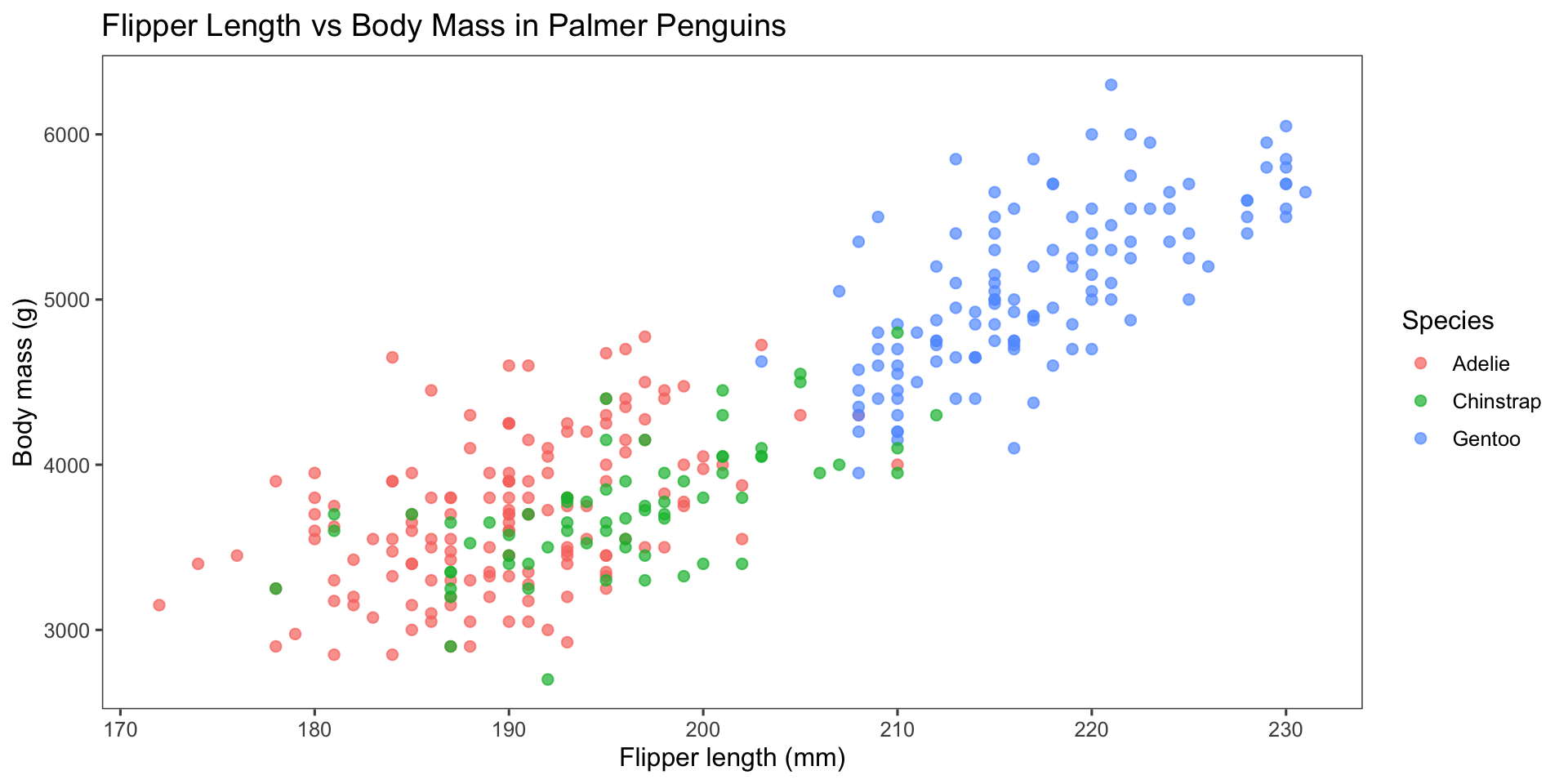
Code and its output

In the following examples, we show how to control code output display in revealjs presentations using Quarto. Please onserve different options for code output location.

Code folded

Code
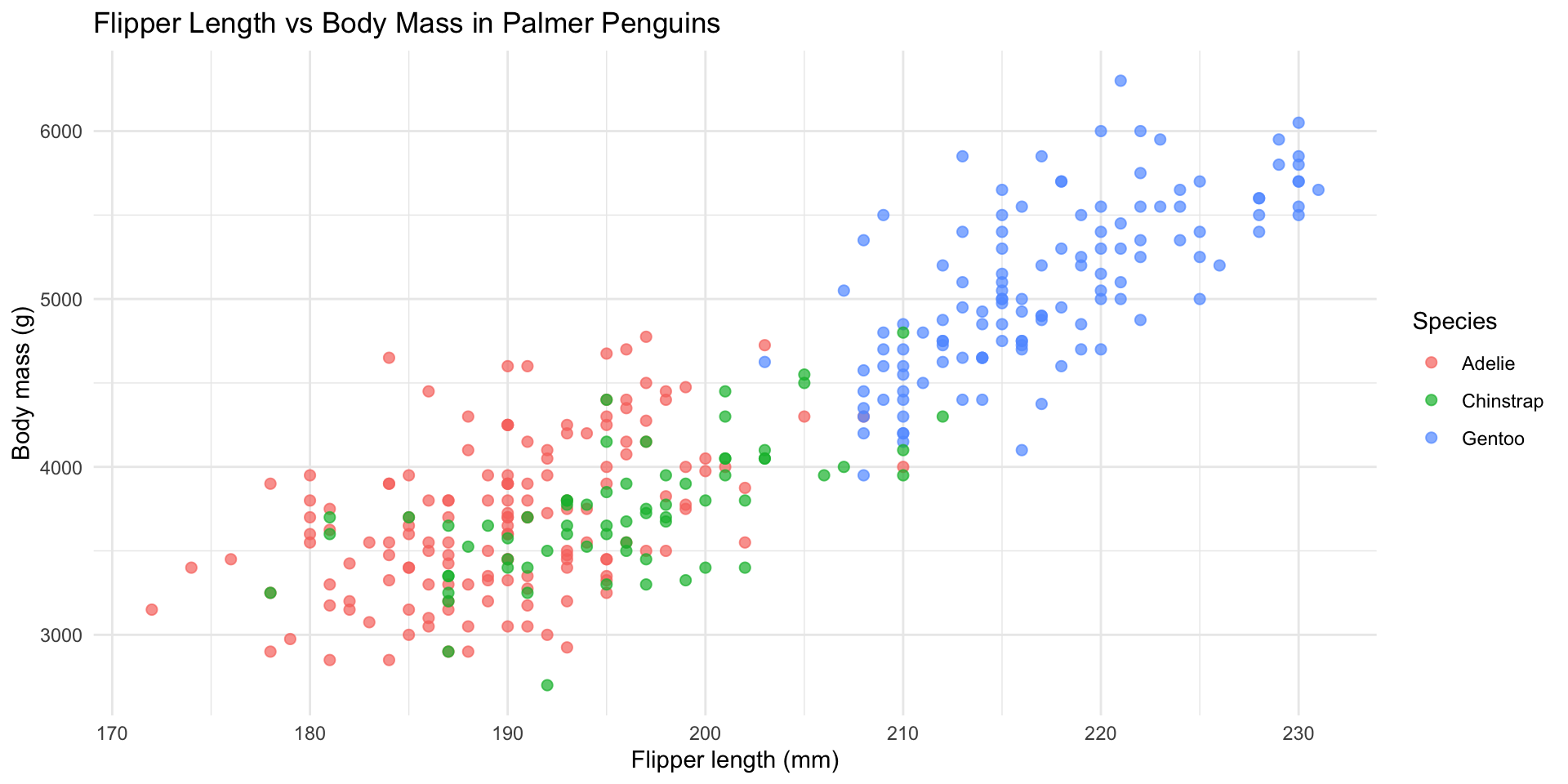
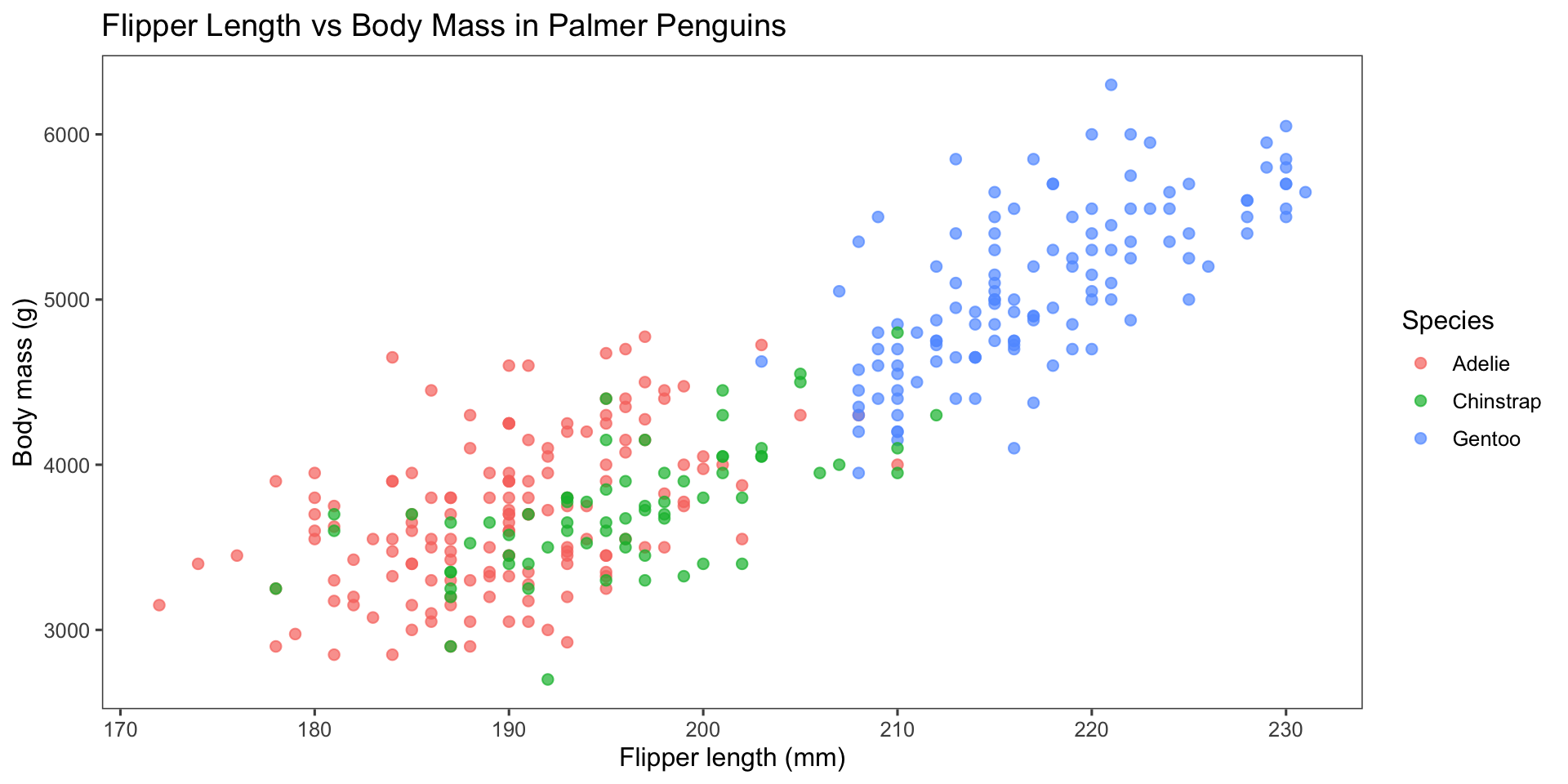
ggplot(penguins, aes(x = flipper_length_mm,
                     y = body_mass_g,
                     color = species)) +
  geom_point(alpha = 0.7, size = 2) +
  labs(
    title = "Flipper Length vs Body Mass in Palmer Penguins",
    x = "Flipper length (mm)",
    y = "Body mass (g)",
    color = "Species"
  ) +
  theme_minimal()

Figure 1

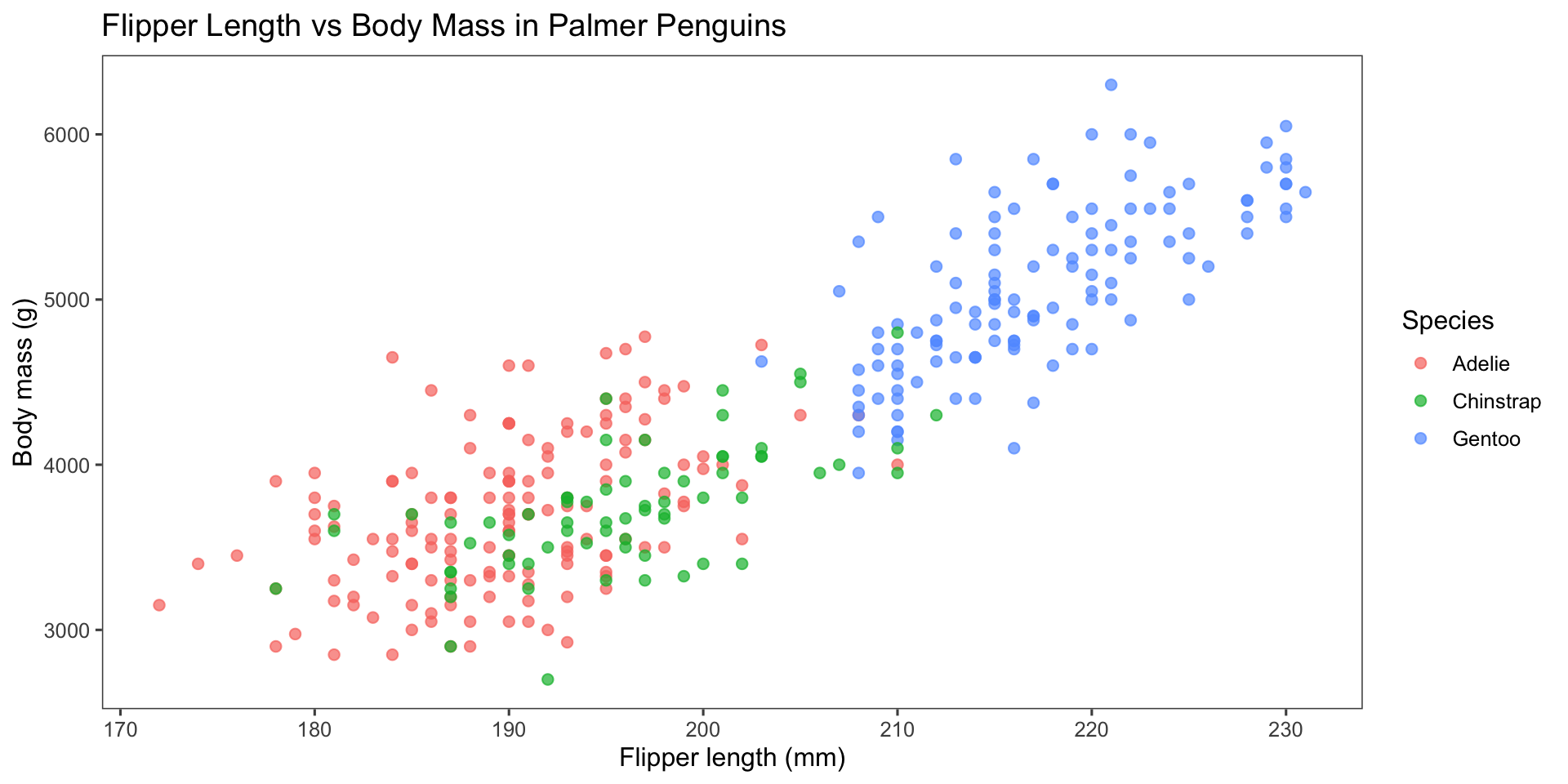
column

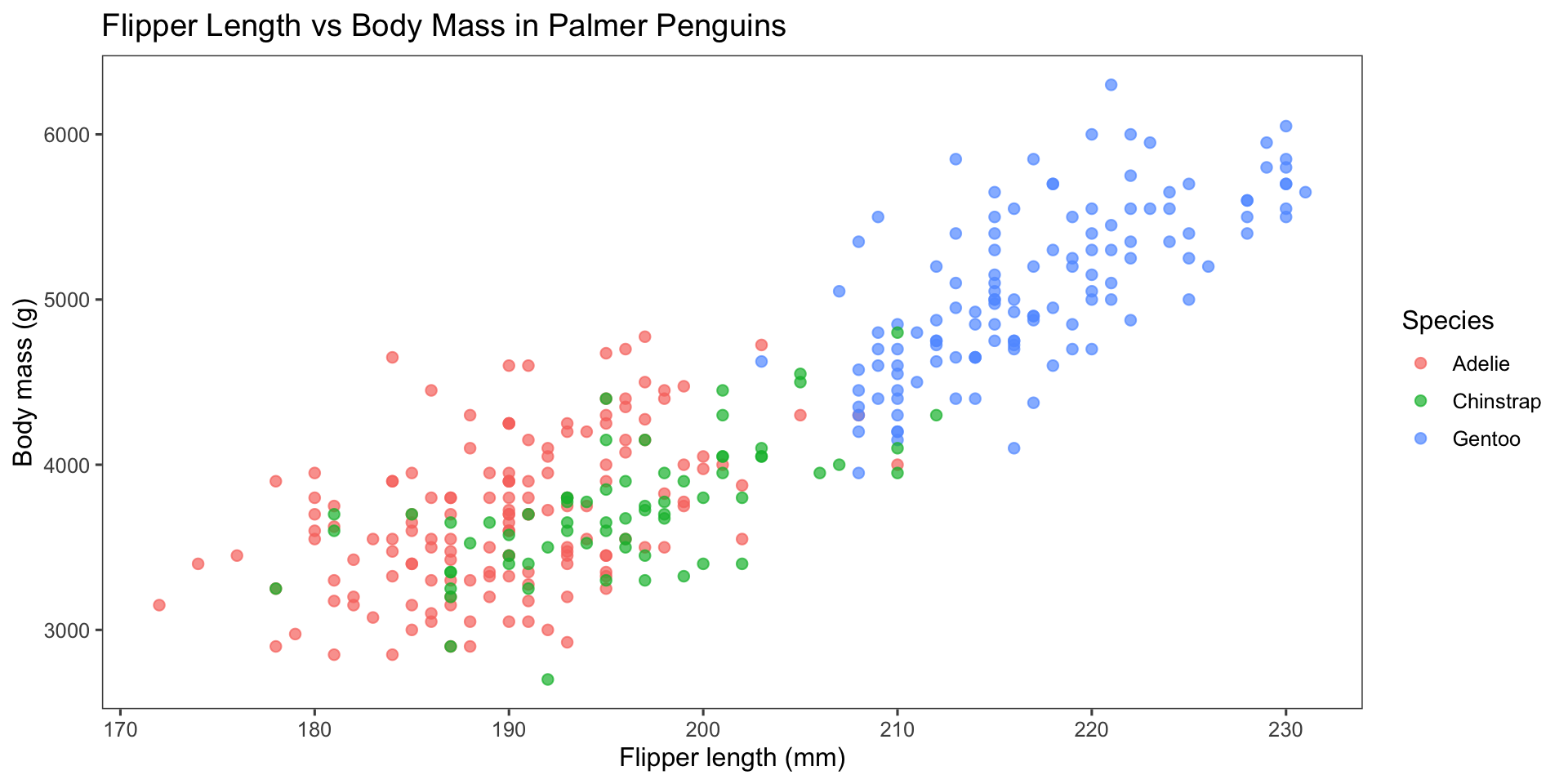
ggplot(penguins, 
        aes(x = flipper_length_mm,
            y = body_mass_g,
            color = species)) +
  geom_point(alpha = 0.7, 
            size = 2) +
  labs(
    title = "Flipper Length vs Body Mass in Palmer Penguins",
    x = "Flipper length (mm)",
    y = "Body mass (g)",
    color = "Species"
  ) +
  ggthemes::theme_few()

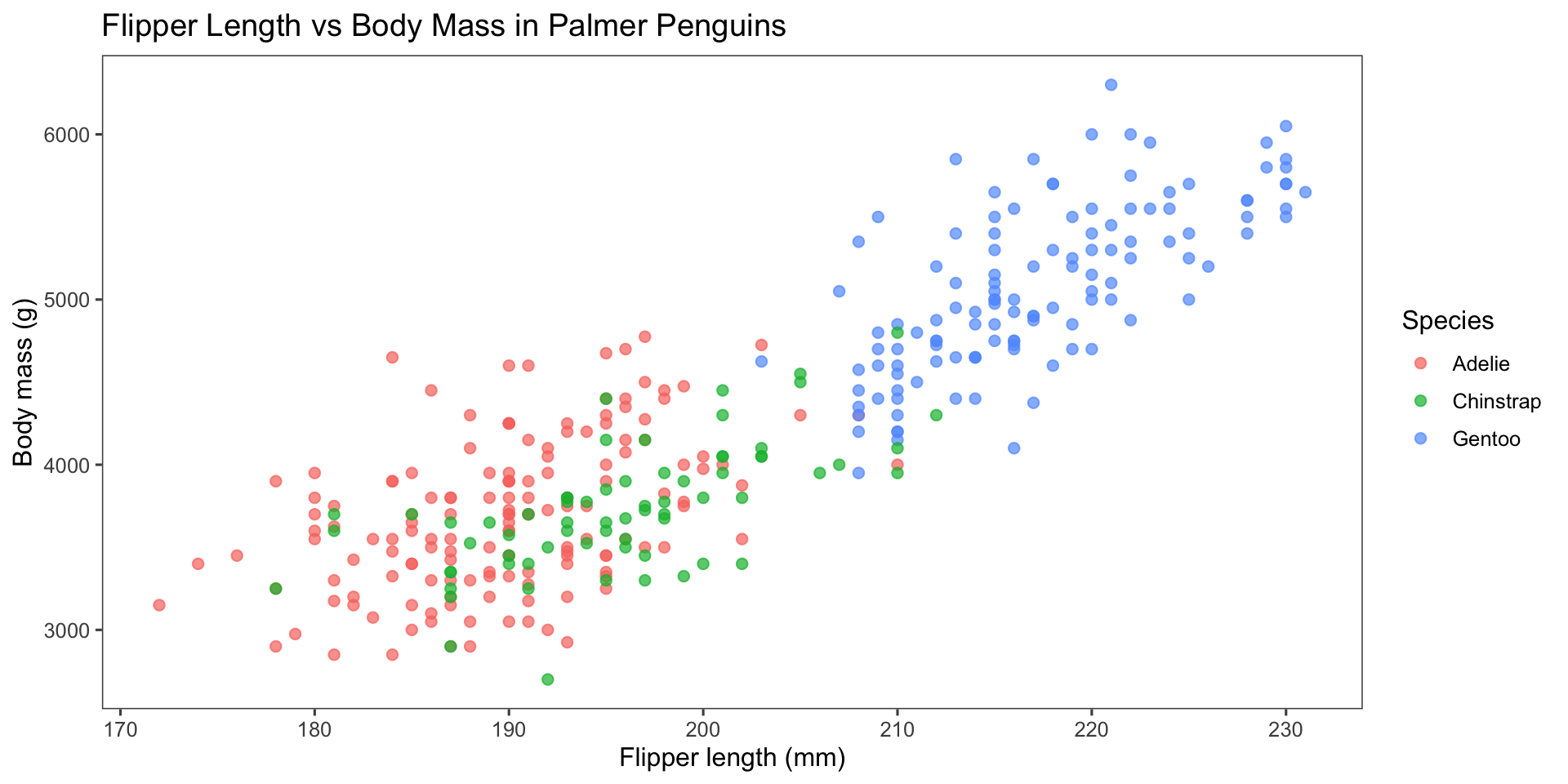
column-fragment

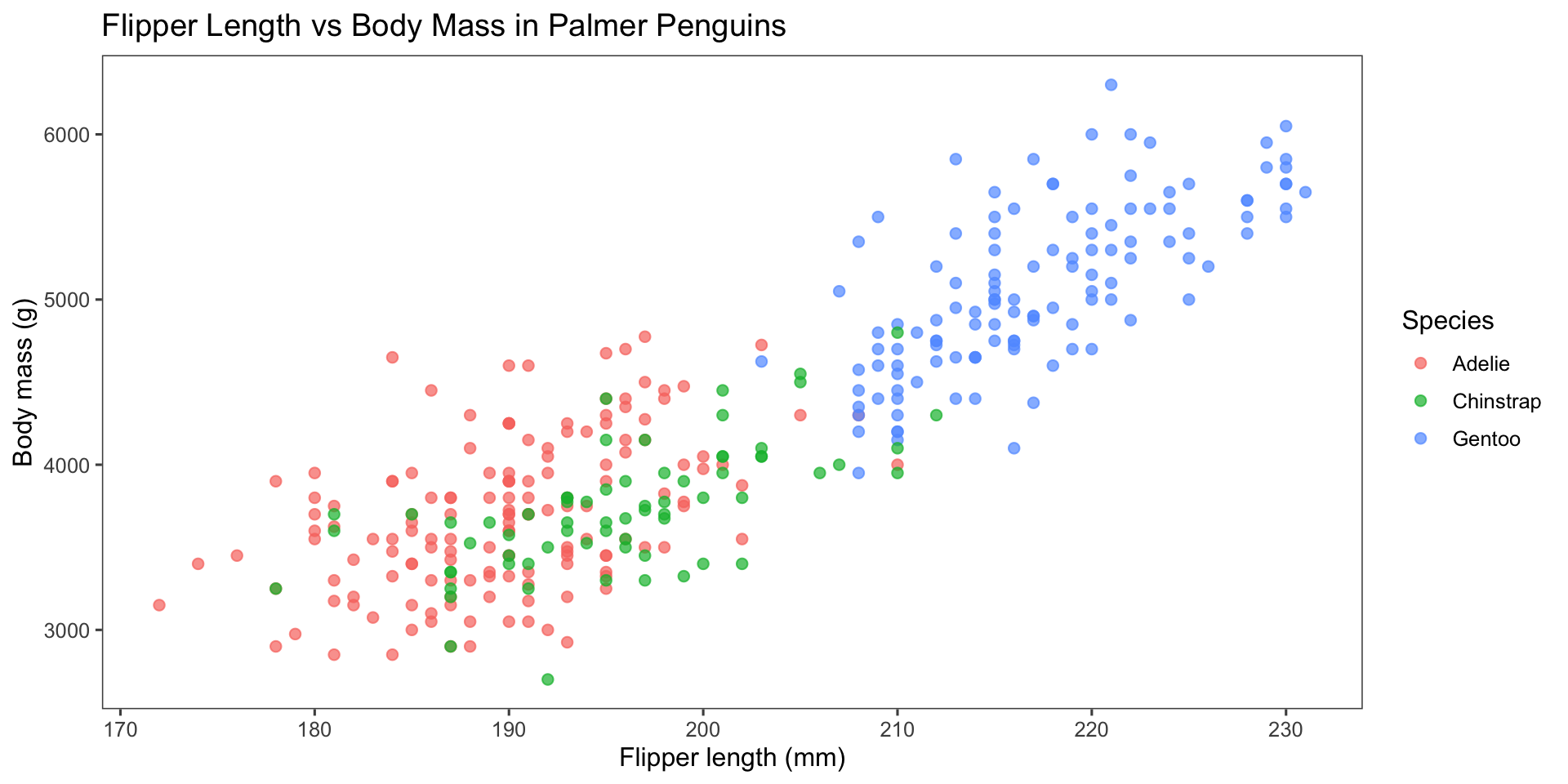
ggplot(penguins, 
        aes(x = flipper_length_mm,
            y = body_mass_g,
            color = species)) +
  geom_point(alpha = 0.7, 
            size = 2) +
  labs(
    title = "Flipper Length vs Body Mass in Palmer Penguins",
    x = "Flipper length (mm)",
    y = "Body mass (g)",
    color = "Species"
  ) +
  ggthemes::theme_few()

slide

ggplot(penguins, 
        aes(x = flipper_length_mm,
            y = body_mass_g,
            color = species)) +
  geom_point(alpha = 0.7, 
            size = 2) +
  labs(
    title = "Flipper Length vs Body Mass in Palmer Penguins",
    x = "Flipper length (mm)",
    y = "Body mass (g)",
    color = "Species"
  ) +
  ggthemes::theme_few()

slide

fragment

ggplot(penguins, 
        aes(x = flipper_length_mm,
            y = body_mass_g,
            color = species)) +
  geom_point(alpha = 0.7, 
            size = 2) +
  labs(
    title = "Flipper Length vs Body Mass in Palmer Penguins",
    x = "Flipper length (mm)",
    y = "Body mass (g)",
    color = "Species"
  ) +
  ggthemes::theme_few()

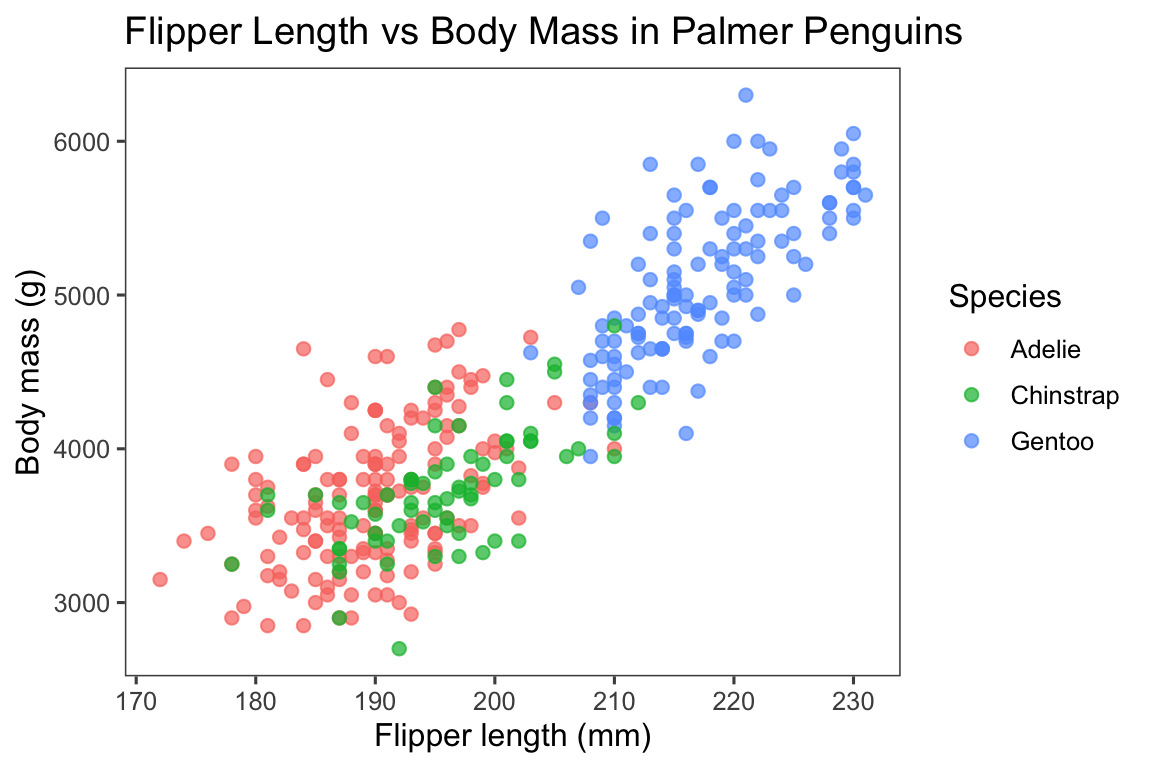
default

ggplot(penguins, 
        aes(x = flipper_length_mm,
            y = body_mass_g,
            color = species)) +
  geom_point(alpha = 0.7, 
            size = 2) +
  labs(
    title = "Flipper Length vs Body Mass in Palmer Penguins",
    x = "Flipper length (mm)",
    y = "Body mass (g)",
    color = "Species"
  ) +
  ggthemes::theme_few()

Notes with code output

  • Meanwhile, Allison keeps playing with the penguins

  • And plotting with the penguins

  • And looking at more penguin pictures

  • Aligns eerily well with iris data

Line graph showing palmerpenguins package downloads from CRAN, which increases quickly since published in 2020 and has leveled off near 1000 downloads per day.

Highlight specific consecutive line code

#| eval: false
#| echo: true
#| code-line-numbers: "4-6"

import numpy as np
import matplotlib.pyplot as plt

r = np.arange(0, 2, 0.01)
theta = 2 * np.pi * r
fig, ax = plt.subplots(subplot_kw={'projection': 'polar'})
ax.plot(theta, r)
ax.set_rticks([0.5, 1, 1.5, 2])
ax.grid(True)
plt.show()

Highlgiht seperate lines

#| eval: false
#| echo: true
#| code-line-numbers: "2,6,9"

import numpy as np
import matplotlib.pyplot as plt

r = np.arange(0, 2, 0.01)
theta = 2 * np.pi * r
fig, ax = plt.subplots(subplot_kw={'projection': 'polar'})
ax.plot(theta, r)
ax.set_rticks([0.5, 1, 1.5, 2])
ax.grid(True)
plt.show()

Highlgiht several lines progressively

#| eval: false
#| echo: true
#| code-line-numbers: "|2|6|9"

import numpy as np
import matplotlib.pyplot as plt

r = np.arange(0, 2, 0.01)
theta = 2 * np.pi * r
fig, ax = plt.subplots(subplot_kw={'projection': 'polar'})
ax.plot(theta, r)
ax.set_rticks([0.5, 1, 1.5, 2])
ax.grid(True)
plt.show()

Panels and tabsets

Panels and tabsets

ggplot(penguins, 
        aes(x = flipper_length_mm,
            y = body_mass_g,
            color = species)) +
  geom_point(alpha = 0.7, 
            size = 2) +
  labs(
    title = "Flipper Length vs Body Mass in Palmer Penguins",
    x = "Flipper length (mm)",
    y = "Body mass (g)",
    color = "Species"
  ) +
  ggthemes::theme_few()

Tables

Multiple chocie fror tables in R: kableExtra, gt, flextable, DT, reactable

Manual tables

# A tibble: 3 × 3
  Species   Count Avg_Bill_Length_mm
  <chr>     <dbl>              <dbl>
1 Adelie      152               38.8
2 Chinstrap    68               48.3
3 Gentoo      124               46  

Table’s output from code

                     mpg cyl  disp  hp drat    wt  qsec vs am gear carb
Mazda RX4           21.0   6 160.0 110 3.90 2.620 16.46  0  1    4    4
Mazda RX4 Wag       21.0   6 160.0 110 3.90 2.875 17.02  0  1    4    4
Datsun 710          22.8   4 108.0  93 3.85 2.320 18.61  1  1    4    1
Hornet 4 Drive      21.4   6 258.0 110 3.08 3.215 19.44  1  0    3    1
Hornet Sportabout   18.7   8 360.0 175 3.15 3.440 17.02  0  0    3    2
Valiant             18.1   6 225.0 105 2.76 3.460 20.22  1  0    3    1
Duster 360          14.3   8 360.0 245 3.21 3.570 15.84  0  0    3    4
Merc 240D           24.4   4 146.7  62 3.69 3.190 20.00  1  0    4    2
Merc 230            22.8   4 140.8  95 3.92 3.150 22.90  1  0    4    2
Merc 280            19.2   6 167.6 123 3.92 3.440 18.30  1  0    4    4
Merc 280C           17.8   6 167.6 123 3.92 3.440 18.90  1  0    4    4
Merc 450SE          16.4   8 275.8 180 3.07 4.070 17.40  0  0    3    3
Merc 450SL          17.3   8 275.8 180 3.07 3.730 17.60  0  0    3    3
Merc 450SLC         15.2   8 275.8 180 3.07 3.780 18.00  0  0    3    3
Cadillac Fleetwood  10.4   8 472.0 205 2.93 5.250 17.98  0  0    3    4
Lincoln Continental 10.4   8 460.0 215 3.00 5.424 17.82  0  0    3    4
Chrysler Imperial   14.7   8 440.0 230 3.23 5.345 17.42  0  0    3    4
Fiat 128            32.4   4  78.7  66 4.08 2.200 19.47  1  1    4    1
Honda Civic         30.4   4  75.7  52 4.93 1.615 18.52  1  1    4    2
Toyota Corolla      33.9   4  71.1  65 4.22 1.835 19.90  1  1    4    1
Toyota Corona       21.5   4 120.1  97 3.70 2.465 20.01  1  0    3    1
Dodge Challenger    15.5   8 318.0 150 2.76 3.520 16.87  0  0    3    2
AMC Javelin         15.2   8 304.0 150 3.15 3.435 17.30  0  0    3    2
Camaro Z28          13.3   8 350.0 245 3.73 3.840 15.41  0  0    3    4
Pontiac Firebird    19.2   8 400.0 175 3.08 3.845 17.05  0  0    3    2
Fiat X1-9           27.3   4  79.0  66 4.08 1.935 18.90  1  1    4    1
Porsche 914-2       26.0   4 120.3  91 4.43 2.140 16.70  0  1    5    2
Lotus Europa        30.4   4  95.1 113 3.77 1.513 16.90  1  1    5    2
Ford Pantera L      15.8   8 351.0 264 4.22 3.170 14.50  0  1    5    4
Ferrari Dino        19.7   6 145.0 175 3.62 2.770 15.50  0  1    5    6
Maserati Bora       15.0   8 301.0 335 3.54 3.570 14.60  0  1    5    8
Volvo 142E          21.4   4 121.0 109 4.11 2.780 18.60  1  1    4    2

Model output tables

# A tibble: 13 × 5
   term        estimate std.error statistic   p.value
   <chr>          <dbl>     <dbl>     <dbl>     <dbl>
 1 (Intercept) -3188.        14.5  -220.    0        
 2 carat        8472.        12.6   672.    0        
 3 cut.L         714.        22.5    31.7   1.22e-218
 4 cut.Q        -335.        19.8   -16.9   1.08e- 63
 5 cut.C         188.        17.2    10.9   7.34e- 28
 6 cut^4           1.66      13.8     0.121 9.04e-  1
 7 clarity.L    4012.        33.9   118.    0        
 8 clarity.Q   -1822.        31.9   -57.2   0        
 9 clarity.C     918.        27.3    33.6   6.23e-245
10 clarity^4    -430.        21.8   -19.7   4.45e- 86
11 clarity^5     257.        17.8    14.4   4.14e- 47
12 clarity^6      26.9       15.5     1.73  8.33e-  2
13 clarity^7     187.        13.7    13.6   2.51e- 42

Read tables from CSV

# A tibble: 1,704 × 6
   country     continent  year lifeExp      pop gdpPercap
   <chr>       <chr>     <dbl>   <dbl>    <dbl>     <dbl>
 1 Afghanistan Asia       1952    28.8  8425333      779.
 2 Afghanistan Asia       1957    30.3  9240934      821.
 3 Afghanistan Asia       1962    32.0 10267083      853.
 4 Afghanistan Asia       1967    34.0 11537966      836.
 5 Afghanistan Asia       1972    36.1 13079460      740.
 6 Afghanistan Asia       1977    38.4 14880372      786.
 7 Afghanistan Asia       1982    39.9 12881816      978.
 8 Afghanistan Asia       1987    40.8 13867957      852.
 9 Afghanistan Asia       1992    41.7 16317921      649.
10 Afghanistan Asia       1997    41.8 22227415      635.
# ℹ 1,694 more rows

Using emojis

Emoji cheat sheet

June 2020 ~4 months into lockdown ☣️

  • June 4: 🐦 In excitement, Allison Horst tweets about the penguins data

    • 📦 Alison asks “Do you wanna build a package?”

    • ❓Allison deletes tweet to sort out license

  • 1 day later: 🔏 Allison emails Kristen about use & license

  • 3 days later (June 8): 🚀 palmerpenguins power team assembles for the first time!

  • Same day (June 8): 🏆 Allison Horst tweets (again) — with clear license info

  • 45 days later (July 23): 🎁 available on CRAN

Equations

Model

\[ y = \beta_0 + \beta_1 x_1 + \beta_2 x_2 + \varepsilon \]

\(y\) is the response (outcome) variable you want to explain or predict.

\(x_1\) and \(x_2\) are predictor (explanatory) variables.

\(beta_0\) is the intercept term (baseline level of \(y\) when predictors are zero).

\(\beta_1\) and \(\beta_2\) are coefficients that quantify how \(y\) changes with \(x_1\) and \(x_\), holding the other predictor fixed.

\(\varepsilon\) is the error term capturing noise and unobserved factors.

\[ \begin{aligned} \min_{\boldsymbol{x} \in \mathbb{R}^n} \quad & \mathbb{E}_{\boldsymbol{\xi}}\!\left[ f(\boldsymbol{x}, \boldsymbol{\xi}) + \lambda \, \|\boldsymbol{x}\|_1 \right] \\[0.6em] \text{s.t.} \quad & g_i(\boldsymbol{x}) \le 0, \quad i = 1, \dots, m, \\[0.4em] & \mathbb{P}\!\left( h_j(\boldsymbol{x}, \boldsymbol{\xi}) \le 0 \right) \ge 1 - \alpha, \quad j = 1, \dots, k \end{aligned} \]

  • \(\boldsymbol{x}\): Decision variables to optimize.
  • \(\boldsymbol{\xi}\): Random variables representing uncertainty.
  • \(f(\boldsymbol{x}, \boldsymbol{\xi})\): Objective function to minimize.
  • \(\lambda \, \|\boldsymbol{x}\|_1\): Regularization
  • \(g_i(\boldsymbol{x})\): Deterministic constraints.
  • \(h_j(\boldsymbol{x}, \boldsymbol{\xi})\): Stochastic constraints.
  • \(\alpha\): Acceptable risk level for constraint violations.

Quantile regression

\[ \begin{aligned} \hat{q}_{\tau}(x) &= \arg\min_{q \in \mathbb{R}} \sum_{t=1}^{T} \rho_{\tau}\!\left(y_t - q(x_t)\right), \\ \rho_{\tau}(u) &= u\left(\tau-\mathbf{1}\{u<0\}\right) \end{aligned} \]

  • \(y_t\) is the observed target at time \(t\), and \(x_t\) is the feature vector
  • \(\tau \in (0,1)\) is the quantile level;
  • \(\hat{q}_{\tau}(x)\) is the forecasted \(\tau\)-quantile of \(Y \mid X=x\), i.e., a probabilistic forecast rather than a single point estimate.
  • \(\rho_{\tau}(u)\) is the pinball (check) loss.
  • \(\mathbf{1}\{u<0\}\) is an indicator equal to 1 when the residual is negative, shaping the asymmetry of the loss.
  • \(T\) is the number of training observations used to fit the forecasting model.

Speaketr notes

Speaker notes

You can include your notes in the sldie whtout showin them in the presnetation! this is soemntmes helpful as begineer to remind yourself what key messages you want to say in the sdlie

Add a countdown timer

Your Turn!

In small groups, discuss what is good about this chart.
What is bad about it?

Content in different sizes

45%

Percentage of adults who have below primary school level numeric skills.

45%

Percentage of adults who have below primary school level numeric skills.

45%

Percentage of adults who have below primary school level numeric skills.

3,000,000

Number of people in the UK with some form of colour vision deficiency.

Put content in middle and center

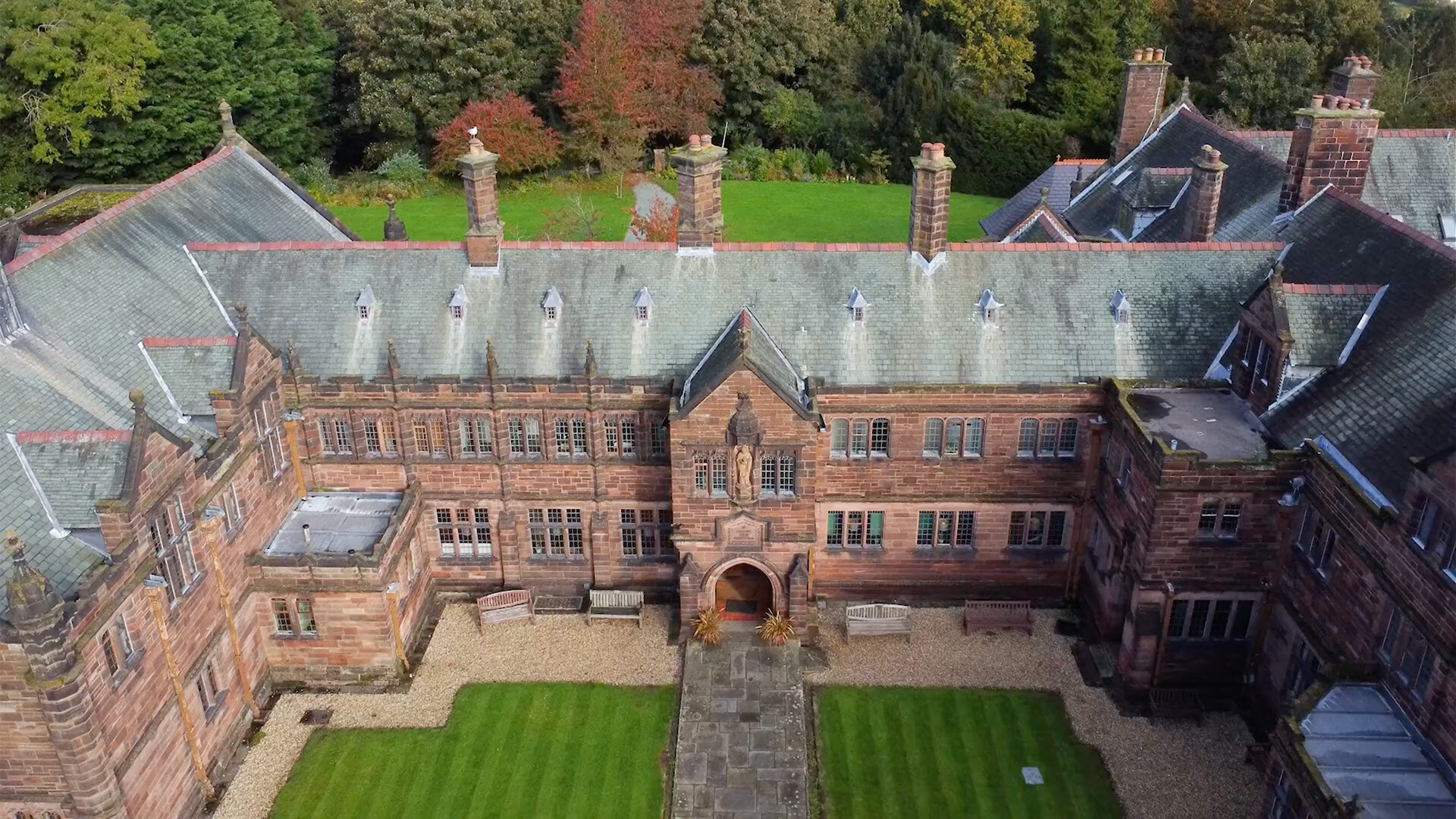
Birth of two ideas: Democratising Forecasting and Forecasting for Social Good
Include website, URL

Full screen

Background video

Any questions or comments? 💬

background iframe

Systems Thinking

Celebrate

Star

Snow

Snow

Callout

Callouts

Note

This is an example of a callout with a title.

Important

This is an example of a callout with a title.

Warning

This is an example of a callout with a title.

Tip with Title

This is an example of a callout with a title.

Tip with Title

This is an example of a callout with a title.

Expand To Learn About Collapse

This is an example of a ‘folded’ caution callout that can be expanded by the user. You can use collapse="true" to collapse it by default or collapse="false" to make a collapsible callout that is expanded by default.

Algorithms

Forecasting Pipeline

Algorithm: Probabilistic Demand Forecasting

  1. Collect historical demand data (y_t)
  2. Construct feature matrix (X_t)
    1. Lagged demand
    2. Calendar effects
    3. External covariates
  3. Estimate quantile regression model
  4. Generate predictive quantiles
  5. Evaluate forecast accuracy

Diagrams

Mermaid Diagram

you may use Mermaid editor live

quadrantChart
    title Reach and engagement of campaigns
    x-axis Low Reach --> High Reach
    y-axis Low Engagement --> High Engagement
    quadrant-1 We should expand
    quadrant-2 Need to promote
    quadrant-3 Re-evaluate
    quadrant-4 May be improved
    Campaign A: [0.3, 0.6]
    Campaign B: [0.45, 0.23]
    Campaign C: [0.57, 0.69]
    Campaign D: [0.78, 0.34]
    Campaign E: [0.40, 0.34]
    Campaign F: [0.35, 0.78]

Graphviz

you may Use Graphviz Online Editor

G cluster_0 process #1 cluster_1 process #2 a0 a0 a1 a1 a0->a1 a2 a2 a1->a2 b3 b3 a1->b3 a3 a3 a2->a3 a3->a0 end end a3->end b0 b0 b1 b1 b0->b1 b2 b2 b1->b2 b2->a3 b2->b3 b3->end start start start->a0 start->b0

DiagrammeR

Use DiagrammeR

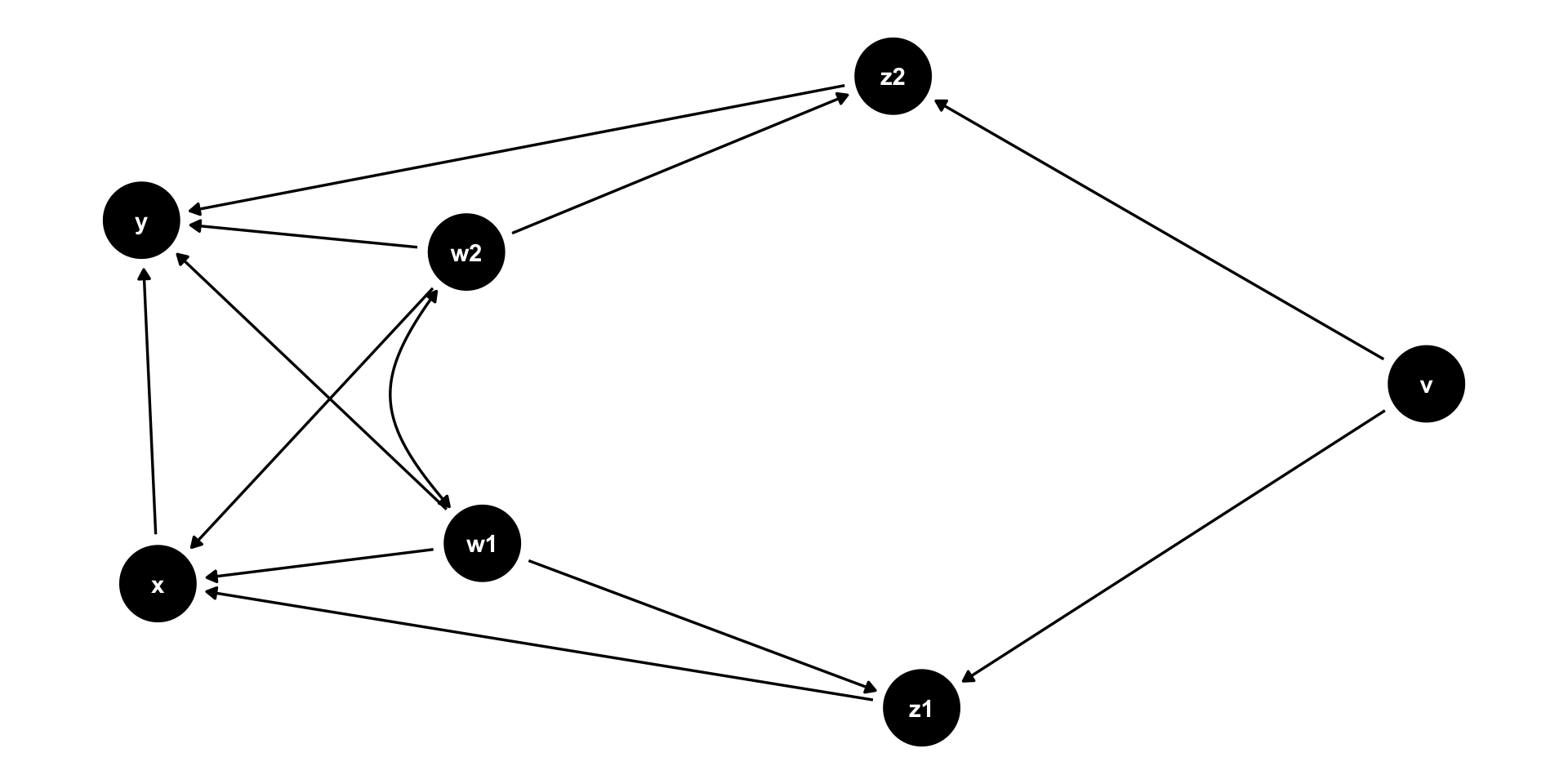
causal directed acyclic graphs

Use ggdag package

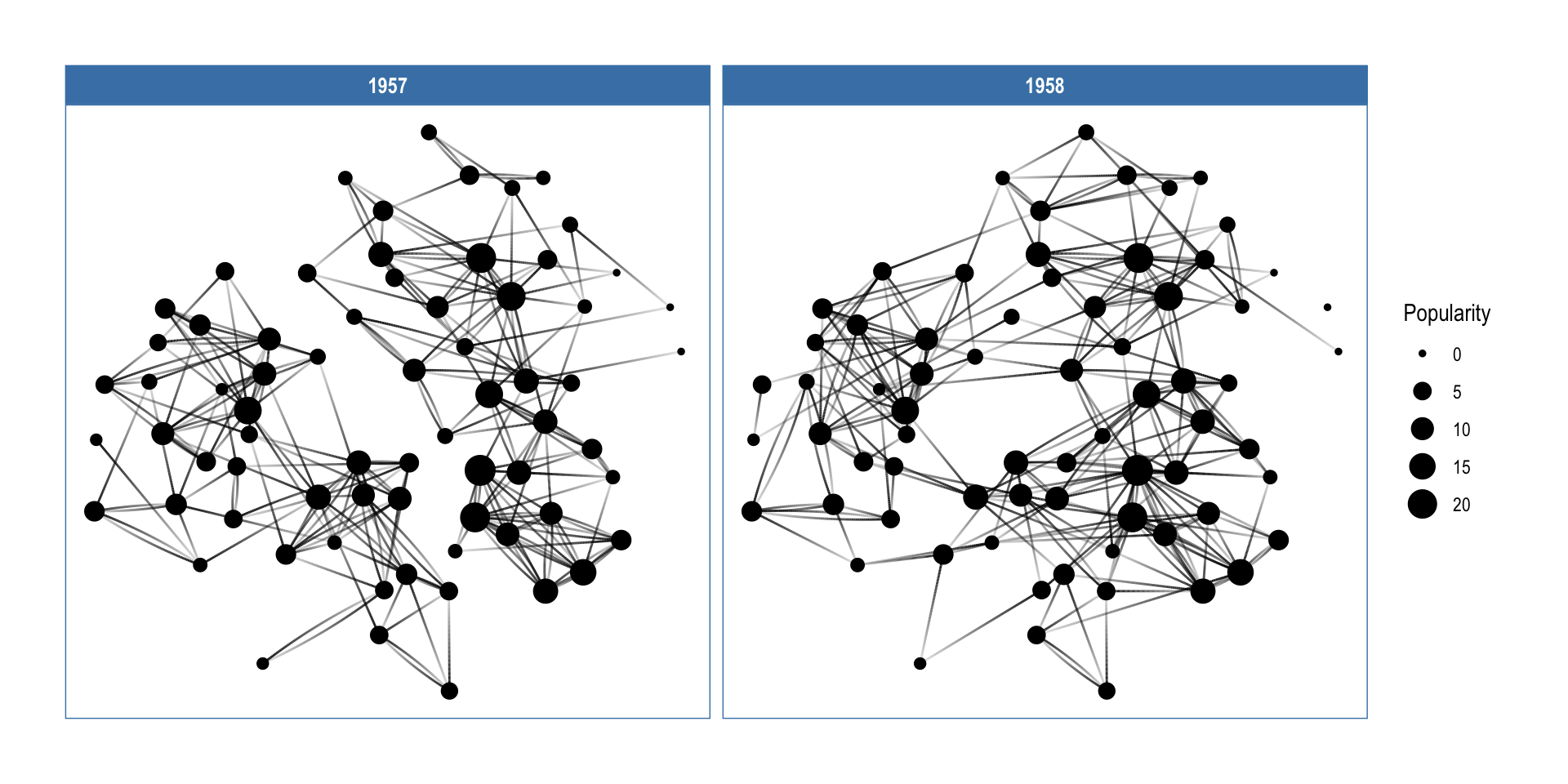
Use ggraph

use ggraph

Reference sldie

References

Include invivisule slide

soemtimes you want to include a slide that is not counted in the slide number and is not shown in the slide overview, you may have some detauls at the end, in case useful in Q/A, etc, you can do it using the following syntax

Details